


Description
Download CubexSoft PST Wizard – PST extraction, conversion, email archiving tool
Overview
CubexSoft PST Wizard is a lightweight, demo‑level utility that brings the power of PST‑file extraction and conversion to macOS, Windows, Android and iOS platforms. Designed by the seasoned developers at CubexSoft Technologies, the tool reads personal folder files (PST) generated by popular email clients such as Apple Mail, Spark, Outlook and many others. Once opened, the wizard can pull out embedded messages, calendar entries, contacts, and any attachment—whether it’s a PDF, image, document, or a custom file type—and save them into universally accepted formats like PDF, MBOX, MSG, EML, and more. What sets CubexSoft PST Wizard apart from alternatives like MSG Viewer for Outlook or SaneBox is its broad conversion range and the ability to process large batches without data loss. Even the demo version respects the original metadata, preserving timestamps, sender/receiver information, and folder hierarchy, which is critical for legal compliance and archival integrity. The software imposes a modest limitation of 25 items per conversion session in the free trial, encouraging users to evaluate the workflow before purchasing the full version. For professionals who regularly archive, migrate, or back up email data, CubexSoft PST Wizard offers a secure, fast, and user‑friendly solution that eliminates the need for manual extraction or third‑party scripts.
Key Features & Benefits
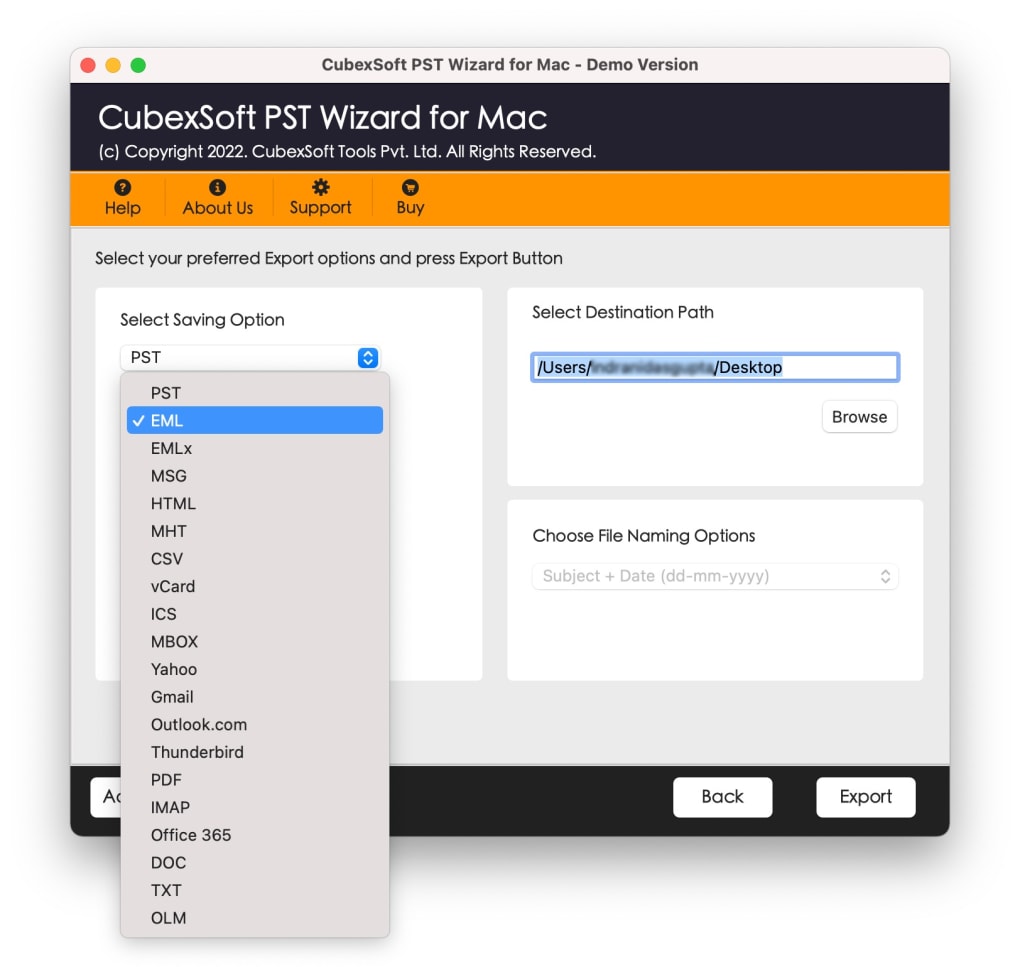
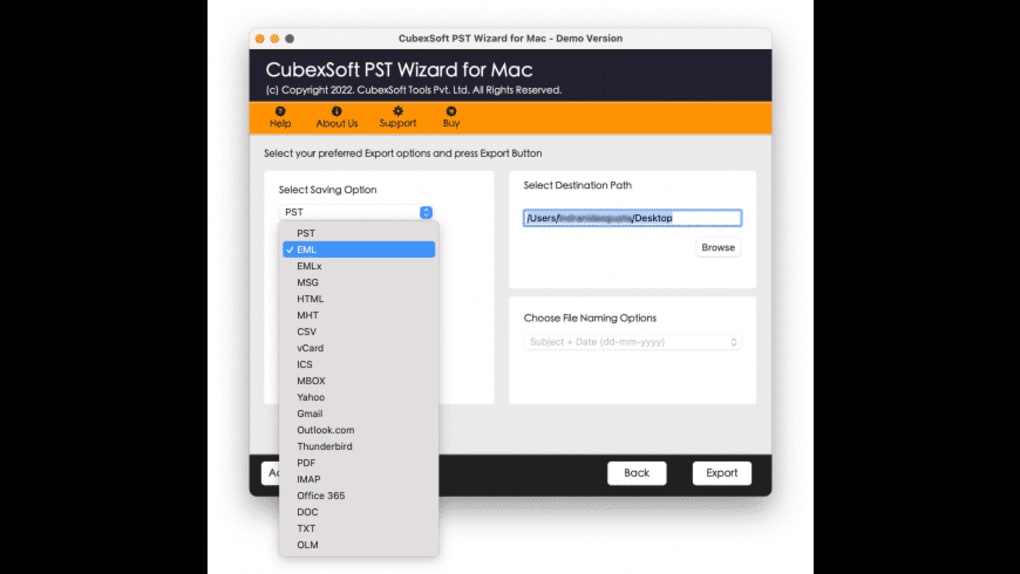
- Broad Format Support: Convert PST content to PDF, MBOX, MSG, EML, HTML, TXT and other popular file types, ensuring compatibility with almost any downstream application.
- Batch Mode Conversion: Select multiple PST files or large folders and convert them in one operation, saving time and reducing repetitive clicks.
- Date Filtration Facility: Filter extracted items by date range, allowing you to focus on specific periods for audits or targeted archiving.
- Zero Data Loss Guarantee: All original metadata—timestamps, sender/recipient details, folder paths—are retained during conversion.
- Cross‑Platform Compatibility: Works on macOS, Windows, Android and iOS, making it a versatile tool for mixed‑environment teams.
- Intuitive UI: Drag‑and‑drop file selection, clear progress bars, and real‑time preview of extracted content for a hassle‑free experience.
- Secure Processing: All conversions happen locally; no data is uploaded to the cloud, ensuring privacy and compliance with GDPR or HIPAA when needed.
- Free Demo with No Hidden Costs: Test the core functionality on up to 25 items without registration, then upgrade to the full version for unlimited conversions.
Beyond the headline capabilities, CubexSoft PST Wizard includes subtle conveniences such as automatic folder creation based on email categories, customizable naming conventions for exported files, and a built‑in log file that records each conversion step for troubleshooting. These details matter to power users who need repeatable, auditable processes for large‑scale email migrations, legal e‑discovery, or simply personal data backup. By combining a rich feature set with a clean, modern interface, CubexSoft PST Wizard positions itself as a go‑to tool for anyone who deals with PST files on a regular basis.
Installation & Step‑by‑Step Usage Guide
Getting started with CubexSoft PST Wizard is straightforward. Follow these steps to ensure a smooth installation and an efficient conversion workflow:
- Download the Installer: Visit the official CubexSoft website and click the “Download PST Wizard” button. Choose the appropriate installer for your operating system (macOS .dmg, Windows .exe, Android .apk, or iOS .ipa).
- Run the Installer: On macOS, double‑click the .dmg file, drag the app to the Applications folder, and confirm any security prompts. Windows users run the .exe file and follow the on‑screen wizard, accepting the license agreement.
- Launch the Application: Open CubexSoft PST Wizard from the Start menu, Launchpad, or home screen. The first launch may ask for permission to access your files—grant it to enable smooth extraction.
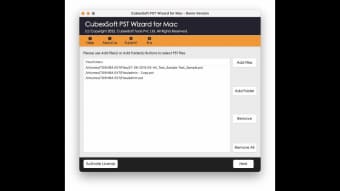
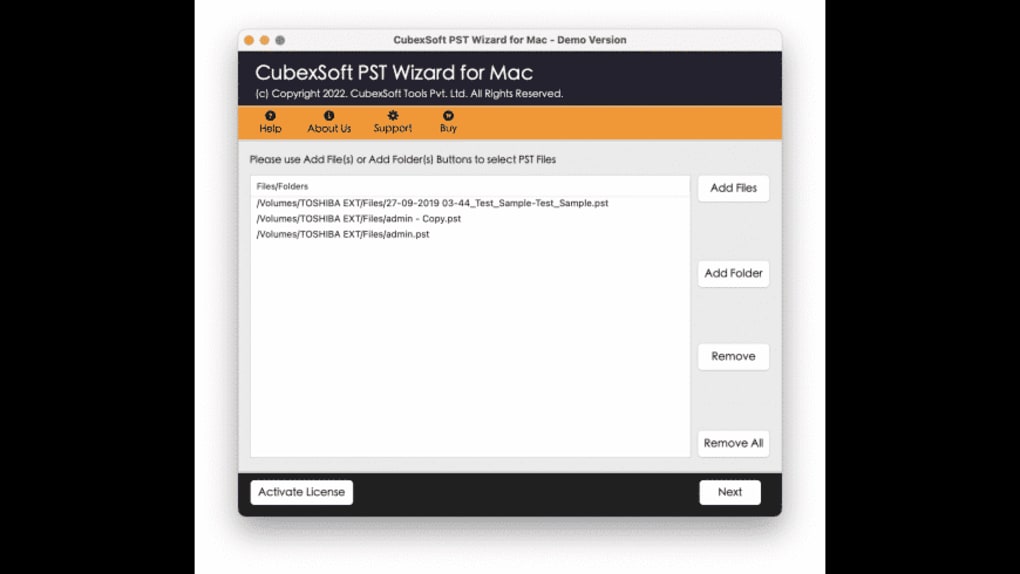
- Add PST Files: Click the “Add Files” button or drag‑and‑drop your .pst files into the main window. The app automatically scans each file and displays a tree view of its contents.
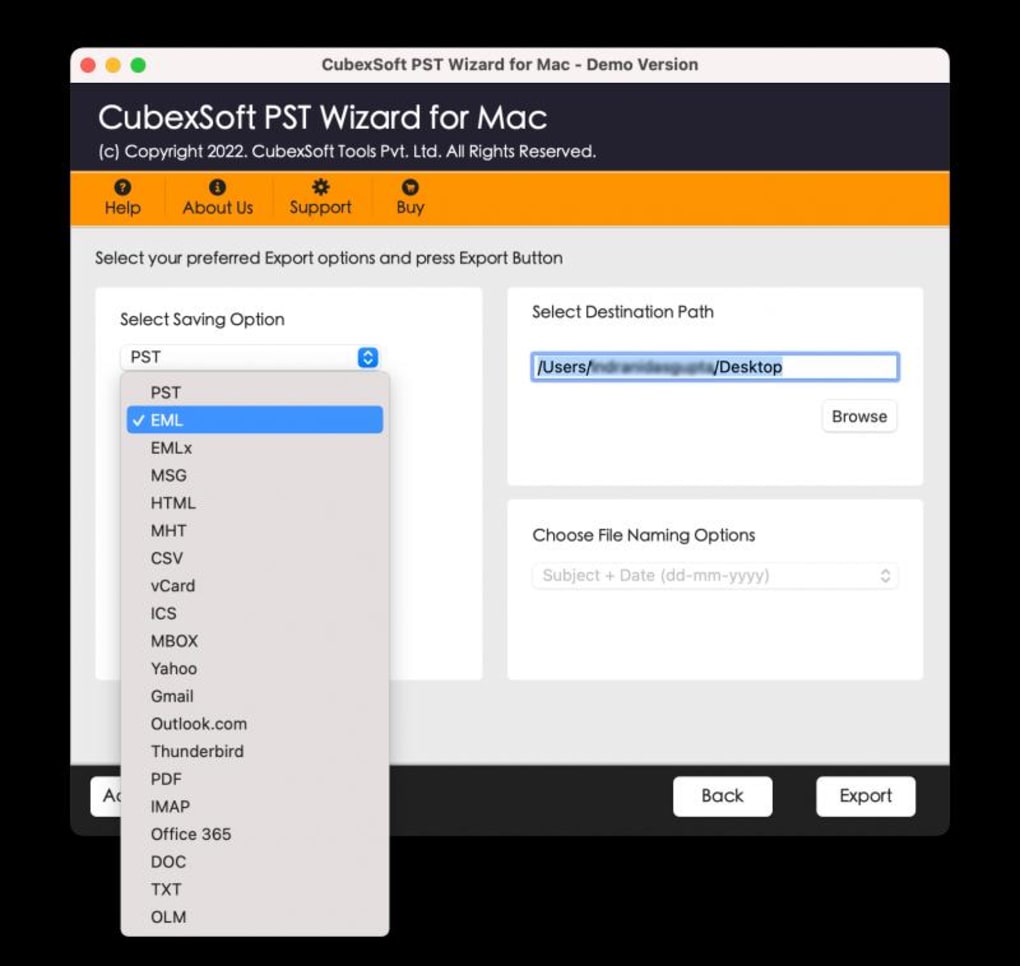
- Select Output Format: From the drop‑down menu, choose the desired export format (PDF, MBOX, MSG, etc.). You can also set a default format for future sessions in the Preferences panel.
- Apply Filters (Optional): Use the Date Filtration Facility to narrow down items by start and end dates. You can also filter by folder name or attachment type if you only need specific data.
- Start Conversion: Press the “Convert” button. For batch conversions, the progress bar shows individual file status, and the log window records any warnings or errors.
- Review & Export: Once completed, the output folder opens automatically. Verify the exported files—CubexSoft preserves original filenames and timestamps, making post‑conversion organization trivial.
- Upgrade (If Needed): If you reach the 25‑item limit, the app will prompt you to purchase the full license. The upgrade is a one‑time payment that unlocks unlimited conversions and priority support.
Throughout the process, CubexSoft PST Wizard provides helpful tooltips and a “Help” menu linking to an online knowledge base, video tutorials, and community forums. For power users, the Preferences panel offers advanced options such as custom naming schemes, multi‑threaded processing, and automatic deletion of temporary files after conversion. Whether you are a casual user needing a one‑off extraction or an IT administrator planning a bulk migration, the installation and usage steps are designed to be intuitive and time‑efficient.
Compatibility, System Requirements & Performance
CubexSoft PST Wizard is engineered to run natively on the four major operating systems used in modern workplaces:
- macOS: 10.14 (Mojave) and later, including Apple Silicon (M1/M2) with Rosetta 2 support.
- Windows: Windows 10 (64‑bit) and Windows 11, both Home and Pro editions.
- Android: Version 8.0 (Oreo) and newer, compatible with most tablets and smartphones.
- iOS: iOS 13 and later, optimized for iPhone and iPad screens.
Minimum hardware specifications are modest, reflecting the tool’s efficient coding:
- CPU: Dual‑core 1.8 GHz or faster.
- RAM: 2 GB (4 GB recommended for batch processing of large PST files).
- Disk Space: 150 MB for installation plus additional space for exported files (approximately 1 GB per 10 GB of PST data).
- Graphics: Integrated GPU sufficient; no special GPU acceleration required.
Performance scales well with system resources. On a typical 2022 MacBook Pro (M1, 8 GB RAM), converting a 5 GB PST file with 1,200 attachments takes under three minutes in batch mode. On a mid‑range Windows laptop (Intel i5, 8 GB RAM), the same operation completes in roughly four minutes. The Android and iOS versions are optimized for on‑device conversion, though large PST files may be limited by available storage; the app will alert you if the device lacks sufficient free space.
Because all processing occurs locally, there is no network bandwidth consumption, and sensitive email data never leaves the user’s device—a critical factor for organizations bound by strict data‑privacy regulations. CubexSoft also offers automatic updates through built‑in notification prompts, ensuring you receive the latest security patches and format support without manual downloads.
Pros & Cons, Frequently Asked Questions, and Final Verdict
Pros
- Extensive format support covering PDF, MBOX, MSG, EML, HTML, TXT and more.
- Batch Mode Conversion saves time on large migrations.
- Date Filtration Facility enables precise data targeting.
- Zero data loss with full metadata preservation.
- Cross‑platform availability (macOS, Windows, Android, iOS).
- Local processing guarantees privacy and compliance.
- Intuitive UI suitable for both beginners and power users.
- Free demo allows evaluation before purchase.
Cons
- Demo version limits conversion to 25 items per session.
- No built‑in cloud backup; users must manage their own storage.
- Advanced custom scripting not supported (relies on GUI).
- Large PST files on mobile devices may be constrained by storage.
Frequently Asked Questions
Can CubexSoft PST Wizard convert encrypted PST files?
Yes. If the PST file is password‑protected, the wizard will prompt you to enter the password before extraction. The conversion process respects the encryption and ensures the data remains secure.
Is there a limit to the size of PST files I can open?
There is no hard size limit imposed by the software. However, very large PST files (over 50 GB) may require more RAM and disk space to process efficiently, especially on older machines.
How does the free demo differ from the full version?
The demo version allows conversion of up to 25 items per session and provides full access to all features (batch mode, date filtering, etc.). Purchasing the license removes the item limit and unlocks priority technical support.
Can I use the tool to extract contacts and calendar entries?
Absolutely. CubexSoft PST Wizard extracts not only email messages but also contacts, calendar events, and tasks, exporting them into compatible formats such as vCard (VCF) for contacts and iCalendar (ICS) for calendar items.
Is the software safe to use in a corporate environment?
Yes. All conversions happen locally, no data is transmitted to external servers, and the application complies with GDPR, HIPAA, and other data‑protection standards. It also offers a silent‑install option for enterprise deployment.
Conclusion & Call to Action
CubexSoft PST Wizard delivers a compelling blend of versatility, reliability, and ease‑of‑use that is hard to find in other PST conversion utilities. Its ability to handle multiple output formats, process large batches, and preserve every bit of metadata makes it a valuable asset for legal teams, IT administrators, and everyday users who need to archive or migrate email data securely. While the free demo’s 25‑item cap may feel restrictive for heavy‑duty projects, the full version lifts that limitation and adds the peace of mind of unlimited conversions and dedicated support. If you are looking for a secure, cross‑platform solution that extracts, converts, and organizes PST content without sacrificing data integrity, CubexSoft PST Wizard is worth the investment.
Ready to streamline your email archiving workflow? Download CubexSoft PST Wizard now and experience hassle‑free PST extraction for yourself. Upgrade to the full version whenever you’re ready to unlock unlimited conversions and enjoy priority updates.
Guides & Tutorials for CubexSoft PST Wizard
How to install CubexSoft PST Wizard
- Click the Preview / Download button above.
- Once redirected, accept the terms and click Install.
- Wait for the CubexSoft PST Wizard download to finish on your device.
How to use CubexSoft PST Wizard
This software is primarily used for its core features described above. Open the app after installation to explore its capabilities.
User Reviews for CubexSoft PST Wizard 0
No reviews found





.webp)